
Simple design projects
for first-time makers.
Free, browser-based tools and projects for kids, families, libraries, and makerspaces. Pick a project, design it your way, and leave with a build-ready file in minutes. No design experience needed.
Always free to start. No credit card required.
Start here
Featured projects
New to making or teaching a class? These are the easiest wins to start with.
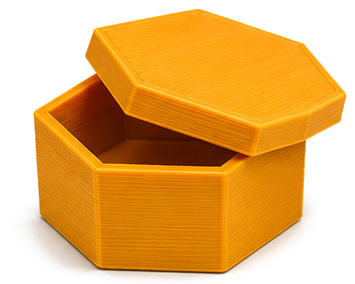
Design your own box
Rectangular, hex, or round boxes with lids and compartments. Export an STL for 3D printing.
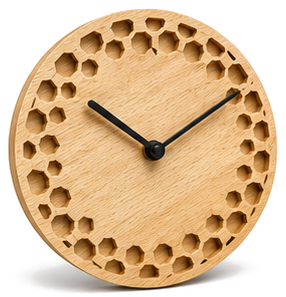
Design your own clock face
Pick a style, set the size, and export an SVG ready for laser cutting.
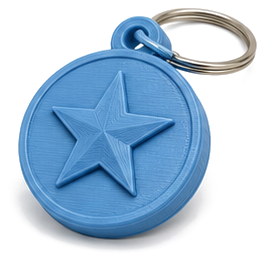
Design a 3D keychain
Raised-symbol keychain blank, export STL for any 3D printer.
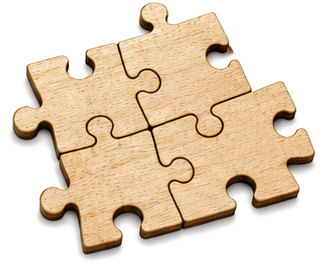
Design your own jigsaw puzzle
Upload a photo, pick a piece count, export laser-ready SVG with engrave + cut.
What will you make?
More projects
Browse the rest of the projects, or filter by fabrication type.
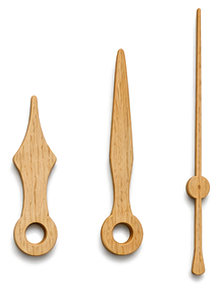
Design your own clock hands
Shape the hour, minute, and second hands, export SVG or STL.
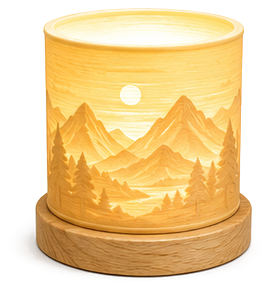
Design your own lithophane
Turn any photo into a 3D lithophane, export an STL for 3D printing.
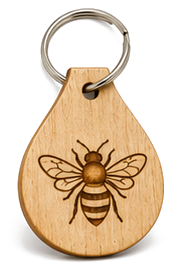
Design a laser keychain
Personalized name tag with engraved symbol, export laser-ready SVG.
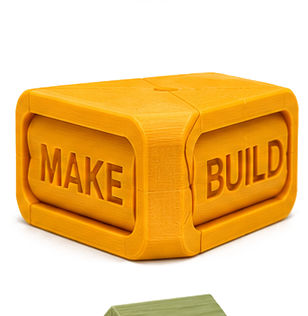
Design a text flip
Two names, one 3D print: read each from its own angle. Export STL.
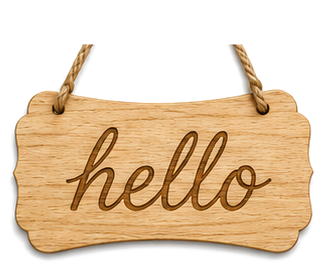
Design your own sign
Address plaques, family signs, garden markers, laser-ready SVG.
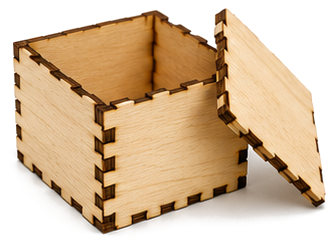
Design a finger-joint box
Flat-pack box panels with finger joints, export a single laser-ready SVG.
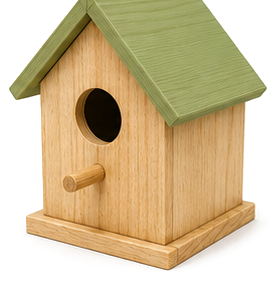
Design a bird house
Audubon-spec nest boxes for 6 species, laser-ready SVG with finger joints.
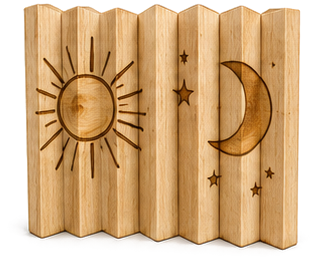
Design an agamograph
Three pictures in one engraving: left, front and right change as you walk past. Laser engrave and cut, no glue.
How it works
From idea to real thing in 5 steps
Choose a project
Pick what you want to make: a clock, a box, or a lithophane.
Customize it
Adjust a few sliders, pick a preset, or start from scratch.
Download your file
Get an SVG (laser cutting) or STL (3D printing): the file every machine workflow starts from.
Prepare it for your machine
Open it in your machine's software (LightBurn or Glowforge for lasers, Cura or Bambu Studio for printers) and pick your material.
Go make it
Run the job and watch your design become a real thing you can hold.
The other half of making
Don't own the machines? A library near you does.
The design tools are where you finish the design. The map is what helps you finish the build. It lists free, no-membership makerspaces inside US public libraries. Many let you use the machines free with a library card; you just pay for materials.

Hexagon clusters are real library branches; open one to see its machines.
Map imagery © CARTO, © OpenStreetMap contributors
From the storybook
Meet the crew
The stars of DeeBee and Milo Climb the Hill, ready for you to make. Start with Milo: turn him into a real wooden jigsaw puzzle you can laser-cut.
DeeBee, the blue truck, and the white car join the build lineup soon.
Prefer to just read first? Read their story →

Why DesignerBee
Built for people who make things
The design tools where beginners finish the design. The map that helps them finish the build.
Start from something good
Every tool begins with presets that already look great. Tweak if you want, ship if you don't.
Your files stay private
Photos and files never leave your browser, and your designs belong to you. Only anonymous usage stats, nothing personal.
Machine-ready files
Real SVG with cut & engrave layers, or clean STL geometry. No design software needed.
Done in minutes
Pick, tweak, export. Most people have a build-ready file in under five minutes.
100% free, no catch
No account, no upsell, no watermark. Built by one person who likes helping makers get started.
Works with any machine
Glowforge, xTool, Bambu, Prusa, Ender: if it reads SVG or STL, you're good.
Got questions?
We've got answers
What can I actually make with these?
Clocks for your wall, boxes for your desk, lithophane photo gifts that glow. Anything you can laser-cut or 3D-print from an SVG or STL file.
What machines work?
Any laser cutter that reads SVG (Glowforge, xTool, Ortur, Epilog, etc.) and any 3D printer that reads STL (Bambu, Prusa, Ender, etc.). You don't need an expensive setup.
Do I need to know how to design?
Nope. That's the whole point. Every tool starts with presets. If you can move a slider, you can make stuff.
Is it really free? What's the catch?
Yes, free. No catch, no account, no upsells. Built by one person who likes helping makers get started.
Can I sell what I make?
Yes. The designs are yours. Designer Bee is just a tool, like Inkscape or Fusion, and what you make with it belongs to you.
Ready to make something?
Pick a tool, adjust a few sliders, and have a build-ready file in minutes. No account needed.
Free Maker Tools, No Account Required
Designer Bee is a collection of free, browser-based parametric design generators built for first-time makers. Every tool runs right in your browser: no sign-up, no account, no software to install. Photos and files you use never leave your device, and Designer Bee keeps only anonymous usage stats, like which settings get exported, to keep improving the tools. Built by an MLIS and makerspace educator for beginners, hobbyists, teachers, students, and anyone who wants to create something real.
Supported Machines & Formats
Laser cutters: Export SVG files compatible with LightBurn, LaserGRBL, Glowforge, xTool Creative Space, Epilog, and any laser cutter that reads SVG. Clock faces include separate cut and engrave layers.
3D printers: Export STL files compatible with Cura, PrusaSlicer, Bambu Studio, OrcaSlicer, and any slicer software. Works with PLA, PETG, ABS, and other common filaments on any FDM or resin printer.